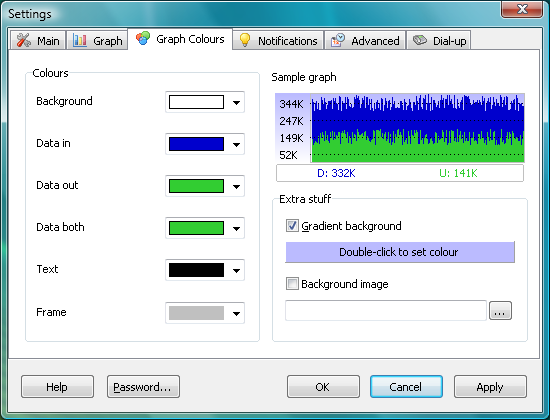

NetWorx is a simple but effective tool for monitoring your network bandwidth usage. Sounds a little dull, but it’s surprising just how useful this little program can be.
If you’ve ever wondered how fast your internet connection is, for instance, then NetWorx will let you know. And because it’s monitoring all the time you’ll see how speeds might vary throughout the day, which will give you a better idea of when it’s best to download large files.
The program can also produce daily, weekly and monthly reports on your bandwidth use, both for the entire system and individual users, making it very easy to see who’s using your bandwidth. If it turns out your kids are spending too much time online then you can use NetWorx to set them daily, weekly or monthly quotas.
The reports are also useful for picking up suspiciously heavy network activity, that might indicate a malware infection (or maybe someone making illicit use of your wireless router).
And NetWorx is equally handy when tracking local networking issues. You can use the speed monitor to check the performance of your wireless network, for instance, while built-in graphical troubleshooting tools like ping and trace route will help you diagnose problems.
Verdict:
Packed with features, NetWorx has something for every level of user.
(3)
Networking Tools

Specifications
Changelog
Version 26.10 changes (see full changelog for more info):
Added: SNMPv3 SHA-384 and SHA-512 authentication.
Improved: Modernised Settings and Usage Report windows.
Improved: 64-bit router counters that tell a wrap from a reset.
Improved: Router SNMP settings can be reused and edited.
Improved: Sharper charts and gauges on high-DPI displays.
Improved: Translations fit their windows and read naturally.
Changed: Per-application monitoring uses a new driver.
Changed: The Linux version now uses GTK 3.
Removed: Windows 7 is no longer supported.